

PC
CONSOLE
Patch Notes - Update 44.1
PATCH NOTES

44.1 Highlights
※ The times shown below are subject to change.
PC: Nov 4, 2026, 00:00–08:30
Console: Nov 12, 2026, 01:00–09:00
Check out the Map Service Report - Update 44.1 for the latest info on regional map preferences and rotations!
※ Please note that the features and updates described below are subject to change or removal due to issues such as bugs, in-game problems, and community feedback. The images are intended as visual references only; the actual game may look different as the builds are continually developed and refined before release.
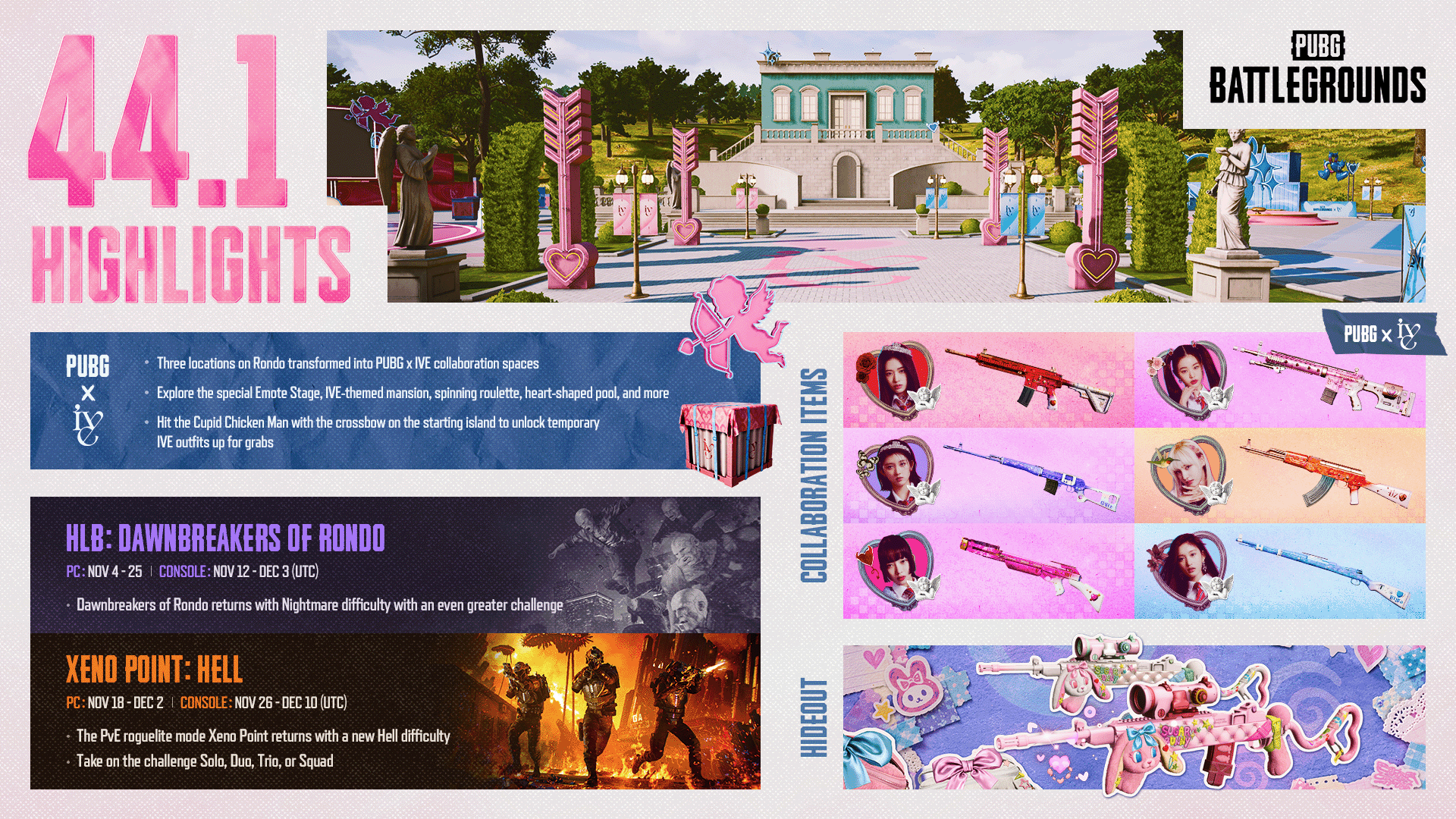
IVE, with their sparkling style and a commanding presence, are coming to PUBG: BATTLEGROUNDS. For more information, please refer to the PUBG x IVE Collaboration Announcement!
PUBG Fantasy, enjoyed alongside PUBG Esports, returns for PGC 2026!
PUBG Fantasy added the thrill of predicting and competing to the fun of watching matches. This time you can participate on both PC and Console, allowing you to create your own roster with PGC 2026 participating teams and challenge the top of the global leaderboard.
Detailed schedule and how to participate will be shared through an announcement at the end of November.
The night grows darker, and the Hungers grow hungrier. Dawn is still a long way off. Good luck.
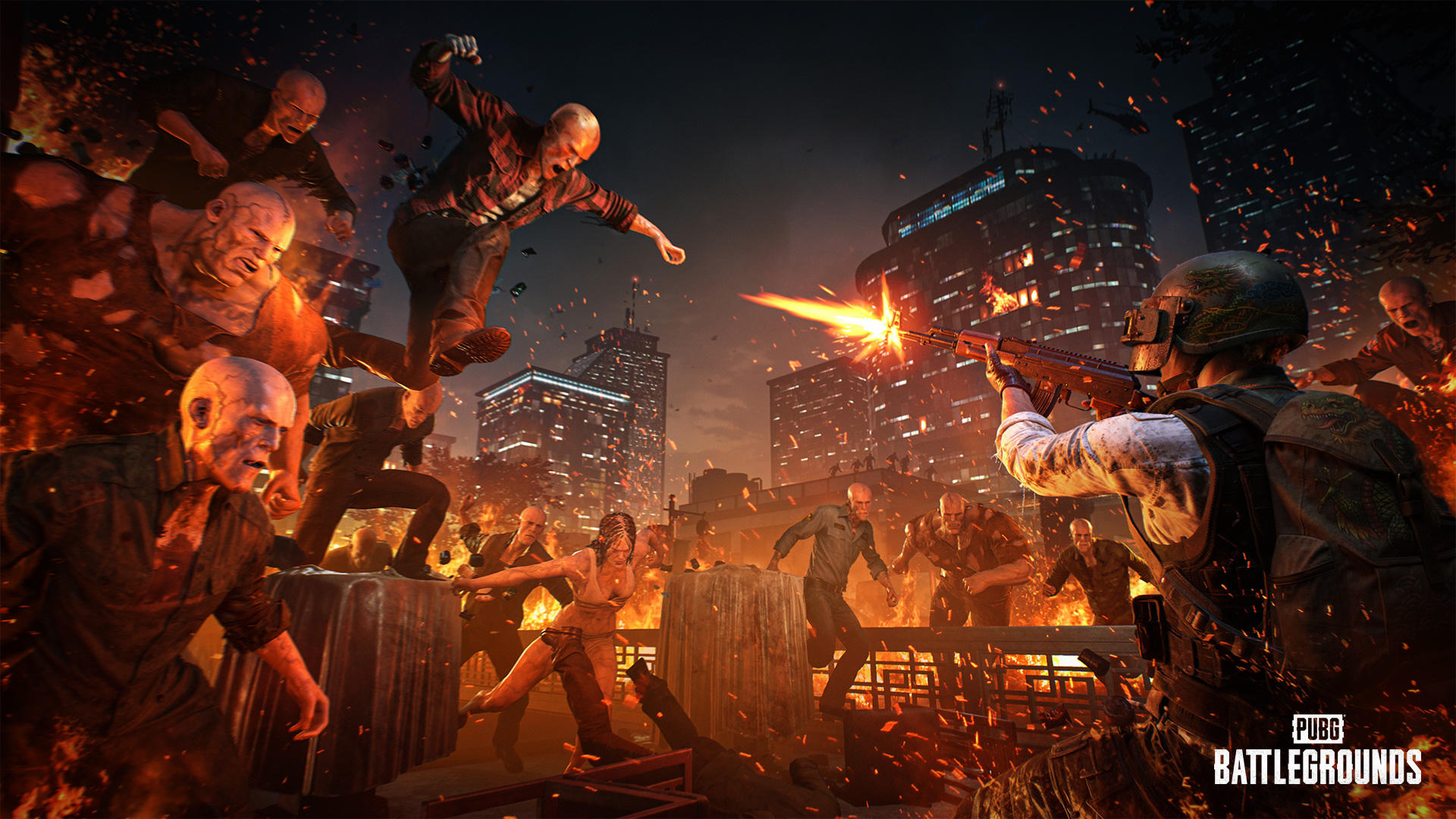
SLB: Dawnbreakers of Rondo, introduced in October, returns with a new difficulty “Nightmare" alongside more powerful Hungers!
This time, more intense combat will take place at Jadena City of Rondo engulfed in flames. Endure the onslaught of even more powerful Hungers and prepare once more to see the dawn.
Major Changes
Instead of the previous Rookie and Veteran difficulties, a single “Nightmare" difficulty is available.
Of the six previously available stages, only Jadena City is featured.
Stage and difficulty voting will not be held.
More powerful and diverse special Hungers appear.
Hungers' attack power and HP are increased.
Hungers spawn more frequently, with a wider variety appearing from earlier phases.
The number of fuel canisters required to activate generators increases.
The final capacitor defense is more challenging due to stronger Hunger attacks.
A special environmental presentation of Rondo engulfed in flames is applied for the Nightmare difficulty.
The mode is balanced for a four-player squad, with no difficulty scaling based on team size.
You can join a match as a solo player.
Leaderboard
You can check the leaderboard sorted by fastest clear times for the Nightmare difficulty in PUBG Bridge.
PUBG Bridge: https://bridge.pubg.com/
Service Period (UTC)
PC
Nov 4, after live server maintenance - Nov 25, 07:00
Console
Nov 12, after live server maintenance - Dec 3, 07:00
The enemy's invasion has grown stronger. Once again, we need your strength.
Xeno Point: Hell is coming, where stronger enemies and severe survival tests await! Break through the stronger enemy offensive and survive in the fiercer battle in Xeno Point: Hell with high difficulty and new rules.
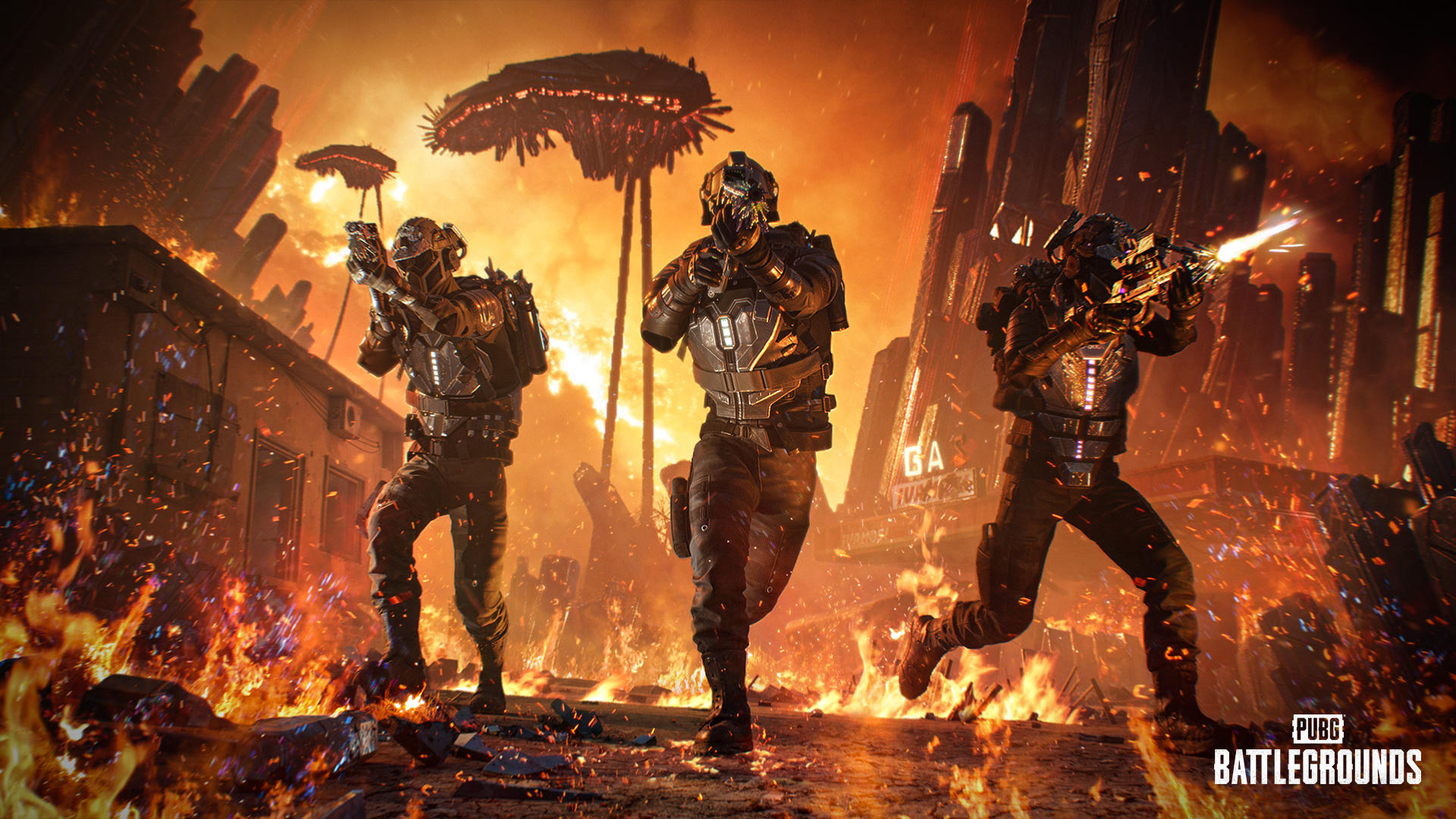
※ In Xeno Point: Hell, Contender skins and progressive weapon skins cannot be used. If you have a Contender skin equipped, you will be switched to the default character.
Major Changes
Difficulty
Instead of the previous Normal, Hard, and Impossible difficulties, a single “Hell" difficulty is available.
Enemy difficulty varies by sector.
Sector 1: Previous Normal difficulty level
Sector 2: Previous Hard difficulty level
Sector 3 and Mothership: Previous Impossible difficulty level
Balance Adjustments by Player Count
Enemy HP, attack power, and the amount of obtainable currency are automatically adjusted based on the number of squad members.
Different balance settings are applied based on the number of players (1–4).
If team members join or leave during a stage, the balance is adjusted based on the current number of players.
A notification is displayed when balance changes.
Combat Balance
The invincibility during reloading with a vest equipped is changed to an effect that temporarily reduces damage received for a certain duration.
The existing invincibility effect that applies when using Super Skills and healing is maintained.
Death Penalty
Upon death, one of the weapons and gear currently equipped is randomly removed.
All items held in the inventory are removed as before.
The same penalty is applied if you leave a match during a stage.
Skill Changes
The effects of skills that previously granted weapons and gear are changed as follows:
Starter Boost: Start with an Adrenaline Syringe when the next session begins after death
Prime Striker: Start without losing weapons when the next session begins after death
Prime Conduit: Start without losing gear when the next session begins after death
Leaderboard
You can check the leaderboard sorted by the fastest clear times in the Mothership sector in PUBG Bridge.
PUBG Bridge : PUBG BRIDGE | PUBG Official Website
Service Period (UTC)
PC
Nov 18, 07:00 - Dec 2, before live server maintenance
Console
Nov 26, 07:00 - Dec 10, before live server maintenance
End of LMG Meta Rotation
The first LMG Meta Rotation introduced with the August update will end. Accordingly, including adjustments additionally made in the September update, the overall balance of LMGs is restored to the level before the introduction of the Meta Rotation.
You can view more detailed information about the end of the Meta Rotation at [Dev Letter Link].
Reload time, recoil, aiming speed, vehicle target damage multiplier, recoil control effect by firing stance, and world spawn amounts for LMGs are adjusted back to the level before the August update.
RPD, newly added in the August update, is balanced to a similar level to other LMG weapons.
Developer’s Comment: The first LMG Meta Rotation, introduced in the August update, was intended to create an environment where players could experience a wider variety of weapons and playstyles. However, LMGs became a stronger-than-intended option, limiting the choices of other weapons. As we determined that the first Meta Rotation did not fully deliver the intended experience, we decided to conclude it early with Update 44.1. M249 and MG3 will return to their pre-August update balance, while the RPD will be adjusted to align with the existing LMG balance. We will continue exploring Meta Rotations, while reviewing their duration and format, and return with a new approach in 2027. For more details on the metrics and the reasons behind this decision, please refer to the Gunplay Dev Letter.
Vehicle Balance
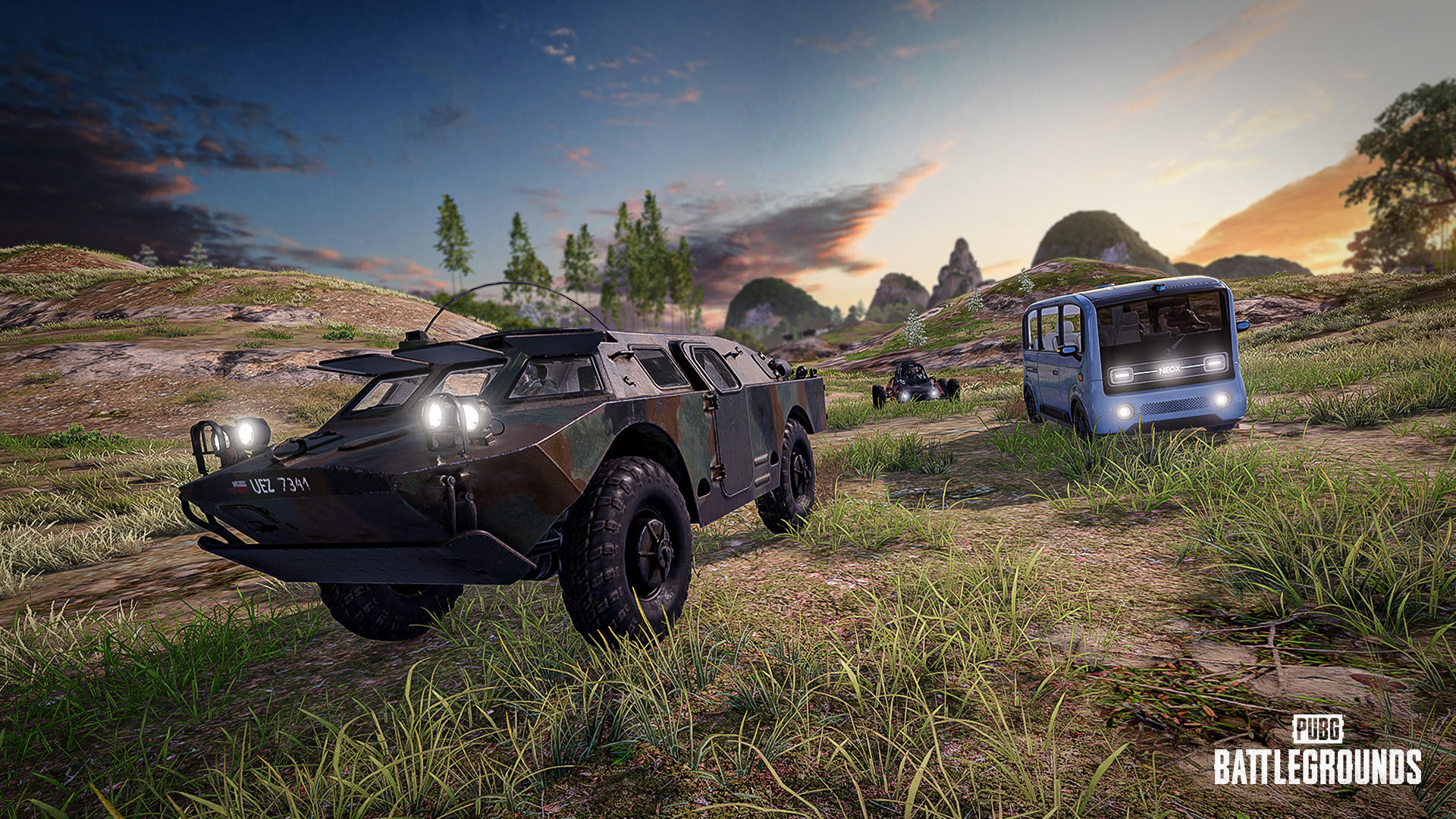
Overall balance will be adjusted to increase vehicle survivability and usefulness in line with the changing combat environment and to let various vehicles showcase their unique characteristics.
Durability
Vehicle health increases by 8-15% depending on the type of vehicle:
Motorcycle, Scooter, Dirt Bike, Snowmobile, Motor Glider, Aquarail, Boat, Buggy, Quad: 8% increase
Pillar Security Car, Dacia, Mirado, Coupe RB, Pony Coupe, Tukshai, Zima, UAZ, Pickup, Rony, Blanc: 10% increase
Porter, Pico Bus, Van, Food Truck, Pillar UAZ, BRDM-2: 15% increase
Tire durability is increased for some vehicles:
Buggy, Pillar UAZ, Quad: 7.5% increase
Zima, UAZ, Blanc, Rony, Pickup: 30% increase
Porter, Food Truck, Van, Pico Bus: 75% increase
BRDM-2
The acceleration and hill-climbing performance are improved to allow smoother driving on hilly terrain.
Maximum speed increases.
Buggy
Tire friction is increased to mitigate excessive sliding on certain terrain.
Trunk
A trunk function is added to Van, Pico Bus, and Food Truck.
Trunk capacity: 300
Trunk capacity of Coupe RB is increased.
100 → 120
Item Spawn Improvements
Item spawn methods are improved so that you can more easily see and pick up items spawned on the ground.
The spacing between items spawned in the same area has been adjusted to reduce the phenomenon of items overlapping or being hidden behind one another.
Kick Action Improvements
Even if you get hit by another player’s kick while using emotes during the waiting period before a match, your emote will not be canceled.
The push-back effect caused by a kick will be applied as before.
Fixed an issue where players standing on sloped terrain were pushed excessively far when kicked.
Observer Mode Improvements
Observer functionality has been improved, allowing you to check players’ equipment and carried items in greater detail while spectating esports matches.
※ The following applies only to PC.
(PC) Blue Chip Count Display
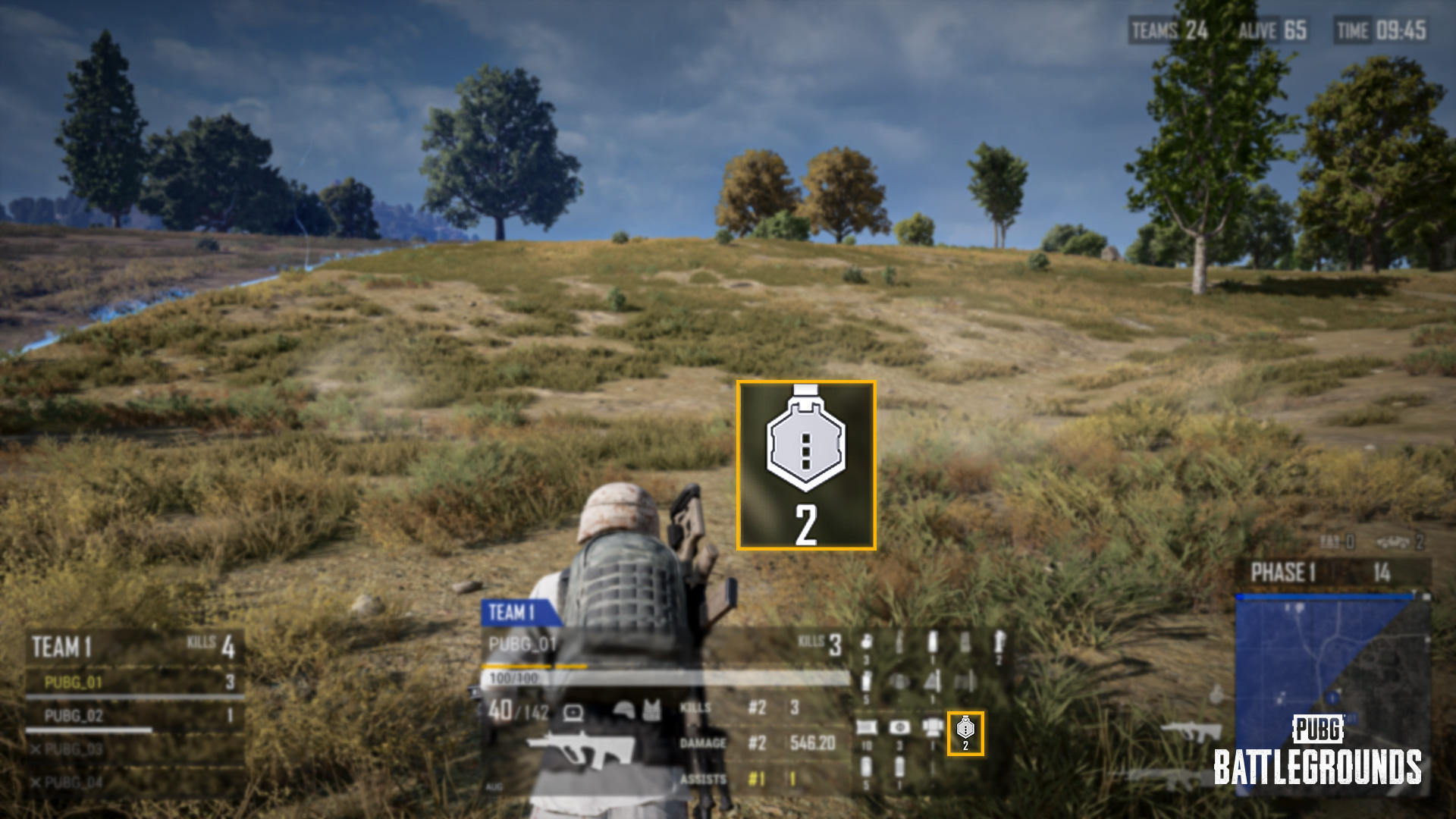
The number of Blue Chips held by the spectated player is displayed in the inventory area at the bottom of the spectating screen.
The total count is displayed without distinguishing between friendly and enemy Blue Chips.
(PC) Player Inventory Check
Press the I key while spectating a player to view their inventory.
Other Improvements
※ The following applies to PC and Console.
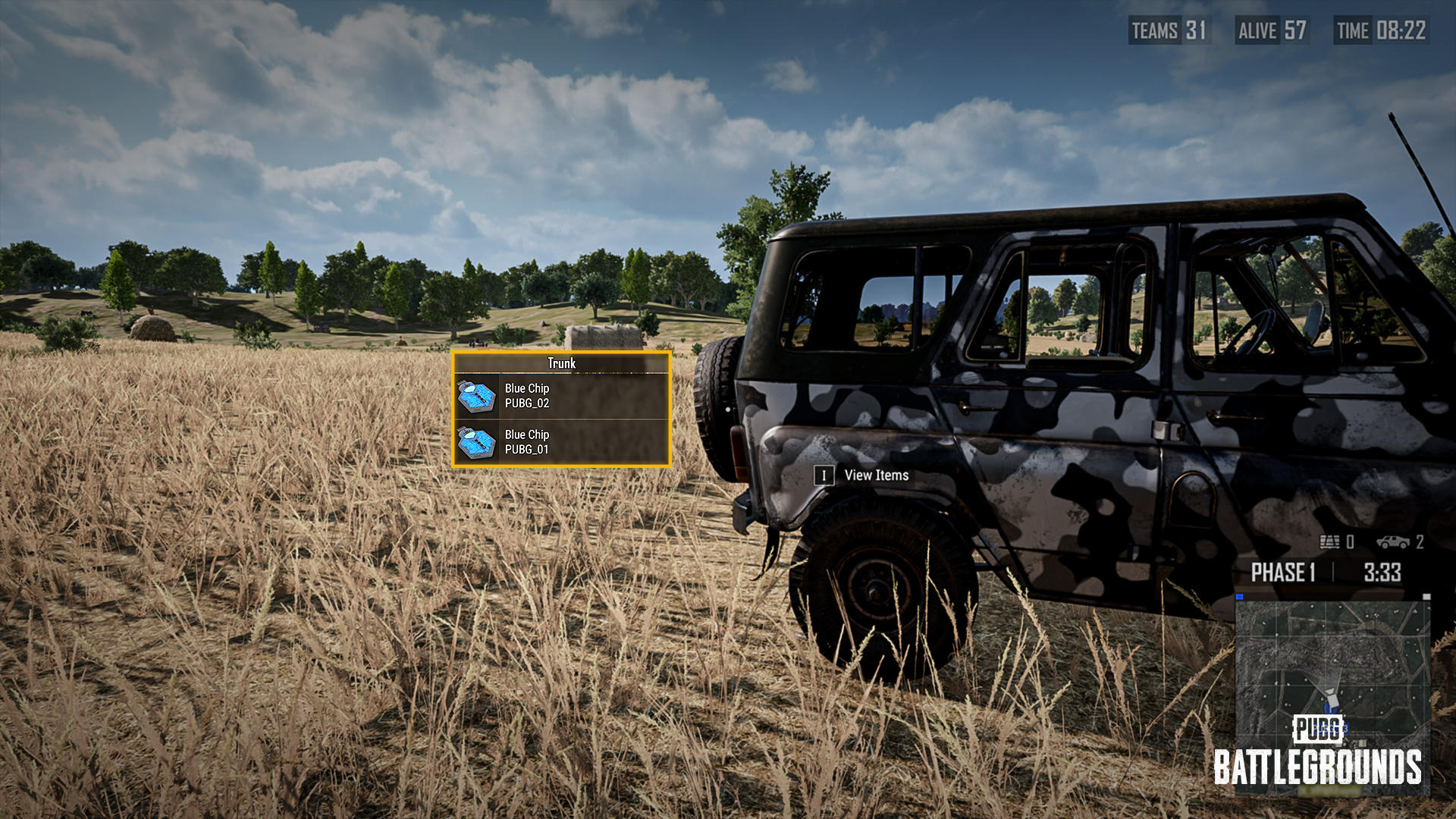
You can view a player’s inventory even while spectating an enemy player.
The corresponding player’s name is displayed on Blue Chips stored in vehicle trunks.
(PC) Special Vehicle Skin Usability Improvements
The Vehicle Skin Radial can now be opened by holding the H key even while crouched.
When near a vehicle compatible with a Special Vehicle Skin, pressing and holding the H key opens the Vehicle Skin Radial, which takes priority over Co-op Climb.
In this situation, Co-op Climb cannot be used.
PGC 2026
Applies to Normal and Custom matches.
To celebrate PGC 2026, special themes are applied across the battlefield.
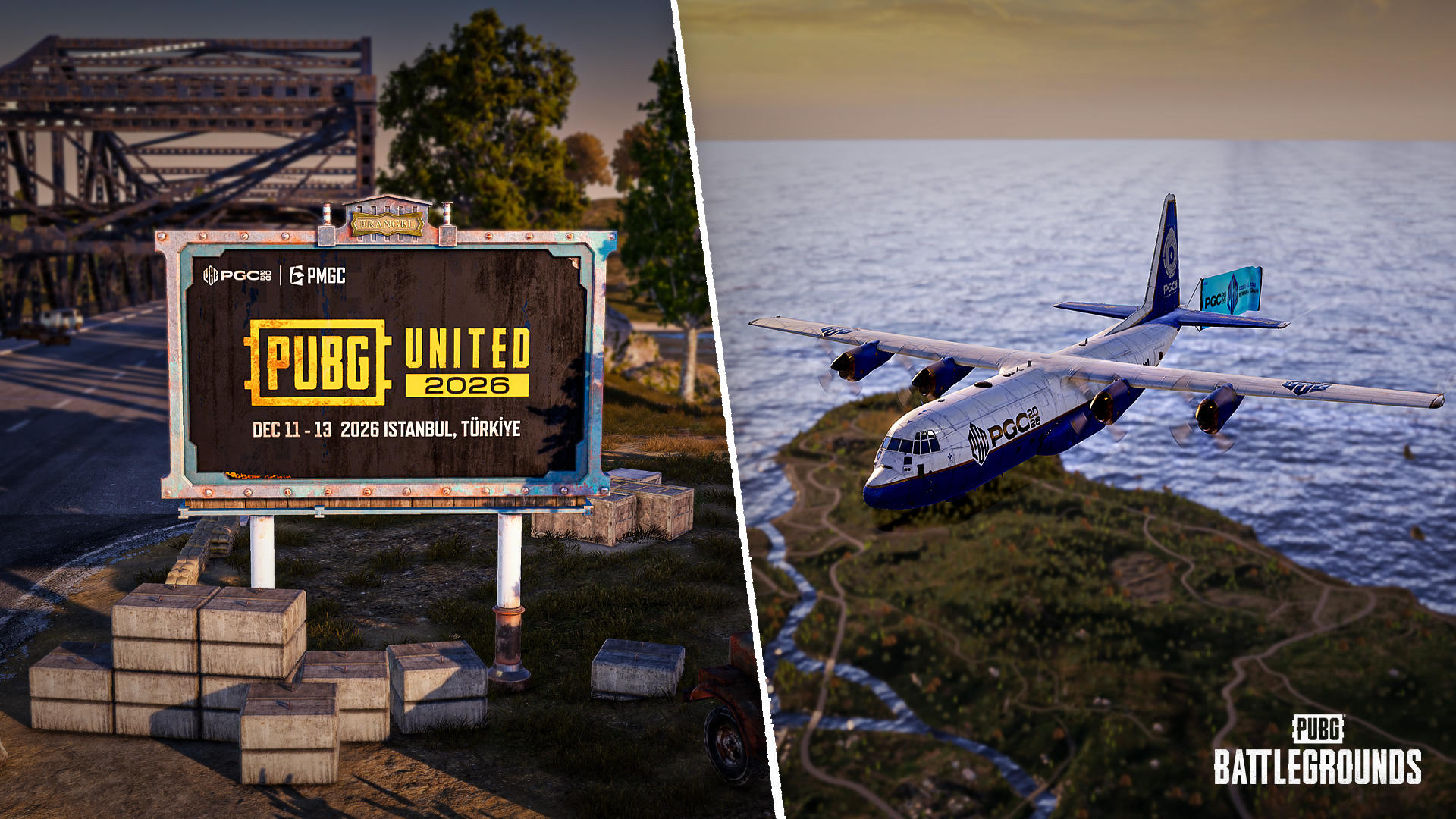
The PGC 2026 theme and banner are applied to the Starting Plane on all maps.
Not applied to the Supply Plane and Helicopters.
PGC 2026 promotional images are applied to billboards placed on maps.
Rondo
※ Applies to all modes.
Rondo's terrain destruction textures have been improved to make destroyed areas easier to identify.
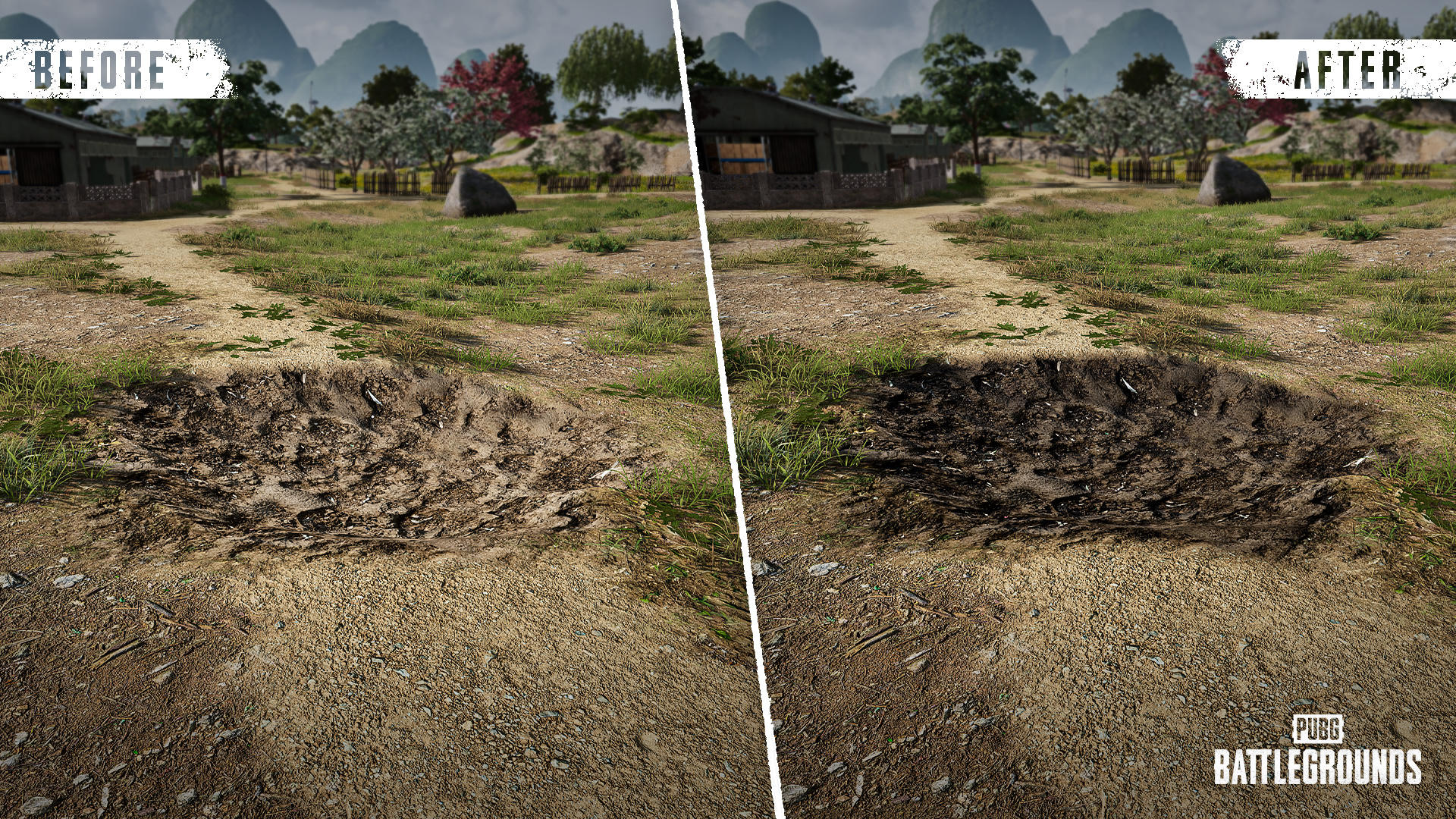
The textures exposed after terrain destruction will appear darker than before.
This makes it easier to distinguish destroyed areas from intact ones.
Season 44
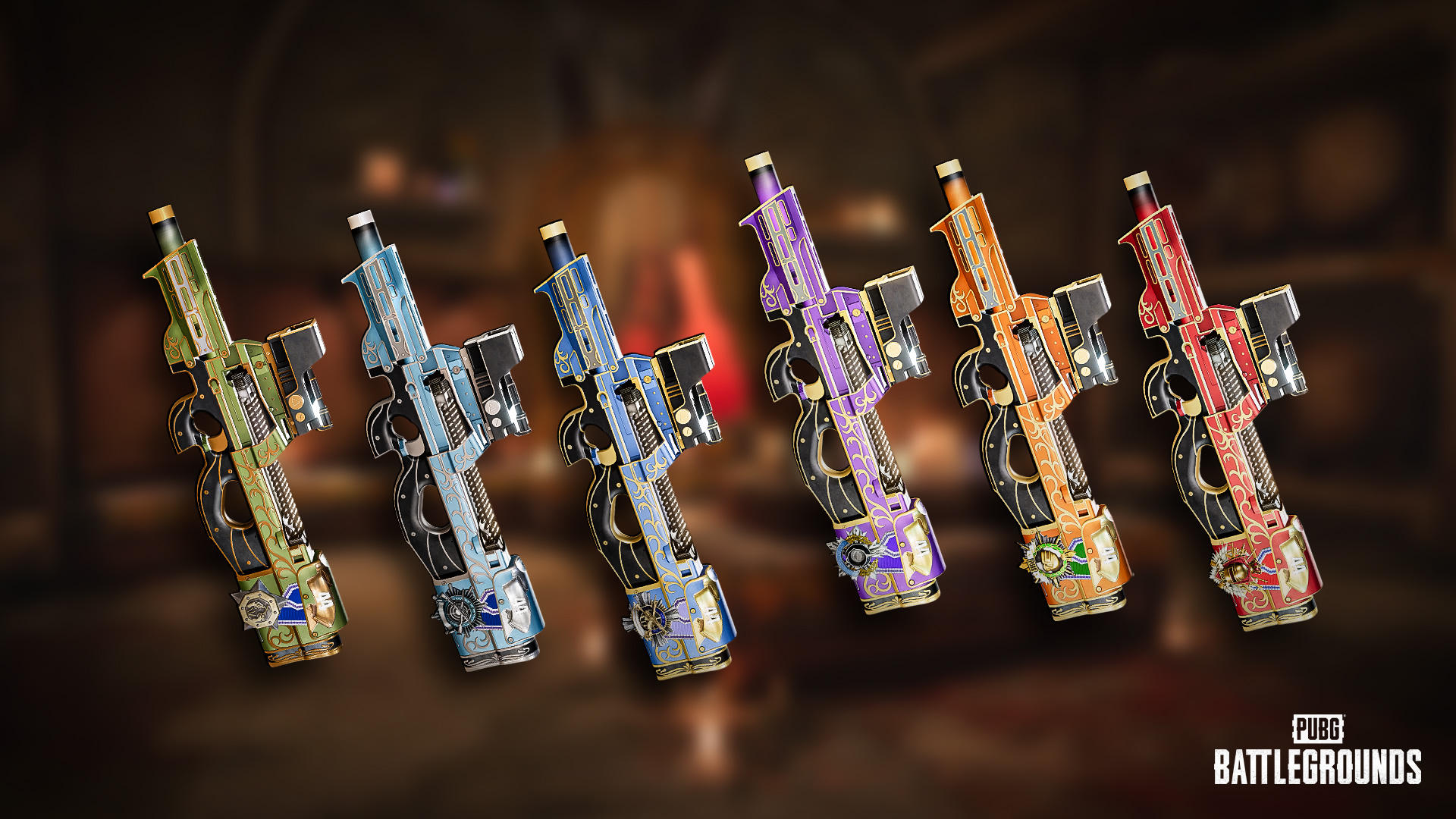
Ranked Weapon Skin - P90 can be obtained as a permanent Tier Reward.
The leaderboard will reset with the live server maintenance.
Check out your final Tier from the previous season through your Career page.
Minimum achievement standards required by tier have been raised in the Platinum tier and above.
Season 43 Rewards
Below are the rewards you will receive based on your final Tier from the previous Ranked season.
| Tier | Rewards |
|---|---|
Bronze | Bronze PUBG ID Emblem |
Silver | Silver PUBG ID Emblem |
Gold | Gold PUBG ID Emblem Ranked Weapon Skin Ranked Parachute Skin |
Platinum | Animated Platinum PUBG ID Emblem Ranked Weapon Skin Ranked Parachute Skin Platinum Medal |
Crystal | Animated Crystal PUBG ID Emblem Ranked Weapon Skin Ranked Parachute Skin Platinum, Crystal Medal |
Diamond | Animated Diamond PUBG ID Emblem Ranked Weapon Skin Ranked Parachute Skin Platinum, Crystal, Diamond Medal |
Master | Animated Master PUBG ID Emblem Animated Master Nameplate Ranked Weapon Skin Ranked Parachute Skin Platinum, Crystal, Diamond, Master Medal |
Survivor | Animated Survivor PUBG ID Emblem Animated Survivor Nameplate Ranked Weapon Skin Ranked Parachute Skin Platinum, Crystal, Diamond, Master, Survivor Medal |
The Ranked Parachute Skins, Weapon Skins, and Medals are permanent rewards. The rest of the obtainable rewards are available for use during a single Ranked season.
Rewards can be found on your Inventory/Edit Profile page once Season 44 starts.
Once Season 44 is over and the server undergoes maintenance, every reward but the Parachute, weapon skin, and Medal will be withdrawn.
Adjustment in Available Modes for Normal Match by Region
Considering the matchmaking environment in some regions, the modes and operating times available for Normal matches have been adjusted as follows.
Service Termination
Console
NA: Solo (FPP), Duo (FPP)
APAC: Duo
Daily Operating Hours (UTC)
Some regions and modes will have daily operating hours applied.
Console
SA Duo: 17:00 - next day 05:00
EU Duo: 08:00 - next day 00:00
NA Solo: 13:00 - next day 08:00
APAC Solo: 02:00 - 16:00
PC
SA Duo (FPP): 12:00 - next day 07:00
NA Duo (FPP): 14:00 - next day 09:00
KAKAO Duo: 00:00 - 21:00
The matchmaking system based on player skill level is improved.
As a result, matchmaking wait times may increase in some time zones and modes.
Applied to Normal matches.
※ These changes apply to Console only and are scheduled to be applied to PC in the December 44.2 Update.
Controller responsiveness and Message Radial usability have been improved.
Input Responsiveness Improvements
※ These changes apply to all controller presets.
The response time for distinguishing between tapping and holding a button has been reduced.
Actions directly related to gameplay: 0.3 seconds → 0.2 seconds
Examples: Character actions such as going prone and throwing items, as well as World Map and Inventory controls.
Other actions: 1.0 second → 0.5 seconds
Examples: System menu controls, such as opening the Settings menu.
Message Radial Improvements
※ These changes apply to Type A/B/C and Custom presets.
The Message Radial now remains open even after releasing the R Stick once it has been activated by holding the stick.
Move the R Stick to navigate through the available options.
Release the R Stick after moving it toward the desired option to select the corresponding message.
These changes apply to the in-game, World Map, and Inventory Message Radials.
Press B or RB to close the Message Radial without selecting a message.
Other Controller Input Improvements
※ These changes apply to Type A/B/C and Custom presets.
Fixed an issue where the actions for moving items to the trunk and switching weapon slots were assigned to the same button in the Inventory.
Move Items to Trunk : Hold L-Stick
Weapon Slot Change : Double-tap LT
Developer's Comment : With the October Update 43.2, we introduced improvements to the controller schemes to make various features more intuitive and consistent to use. However, following the update, we received feedback from players that certain controls felt less responsive than before and that the Message Radial had become more difficult to use.
In particular, changes to the responsiveness of certain frequently used combat actions may have made the controls feel less familiar, sometimes resulting in unintended actions. We also recognized that having to hold down the R-Stick while moving it to navigate the Message Radial could be uncomfortable during gameplay.
With this update, we've placed greater emphasis on preserving the familiar control experience and ensuring quick responsiveness. We've reduced the input response time for gameplay-related actions to 0.2 seconds, allowing frequently used gameplay actions such as prone and throwing items to respond more quickly. For certain menu controls that are less directly related to gameplay, we've applied a separate response time of 0.5 seconds to provide a control experience better suited to each function.
We've also improved the Message Radial to make it easier and more comfortable to use. You no longer need to continuously hold down the R Stick while navigating the menu. Once the Message Radial is opened by holding the R Stick, it will remain open even after you release it, allowing you to select the desired message or close the menu using a separate button. This change is intended to reduce the difficulty of navigating the Radial while holding down the stick, making message selection feel more natural and intuitive.
Going forward, we'll continue to carefully consider both responsiveness and usability when improving controller controls, striving to provide players with a more natural and consistent controller experience.
The UI presentation and controls in the game have been made more consistent, while the overall out-game UX/UI has been improved.
(PC) Some confirmation shortcuts are changed from Space Bar to Enter.
(Console) The range of movement of the virtual cursor is improved.
Voice chat quality and stability are improved.
The UI for Supply Bay and Step Up has been improved, making it easier to navigate between them and view rewards.
A function that allows you to move directly between Step Up and Supply Bay is added.
A function that allows you to preview the detailed composition of Milestone Rewards is added.
You can view reward details for single items as well as selectable items and sets containing multiple components.
New items have been added to Hunter’s Chests.
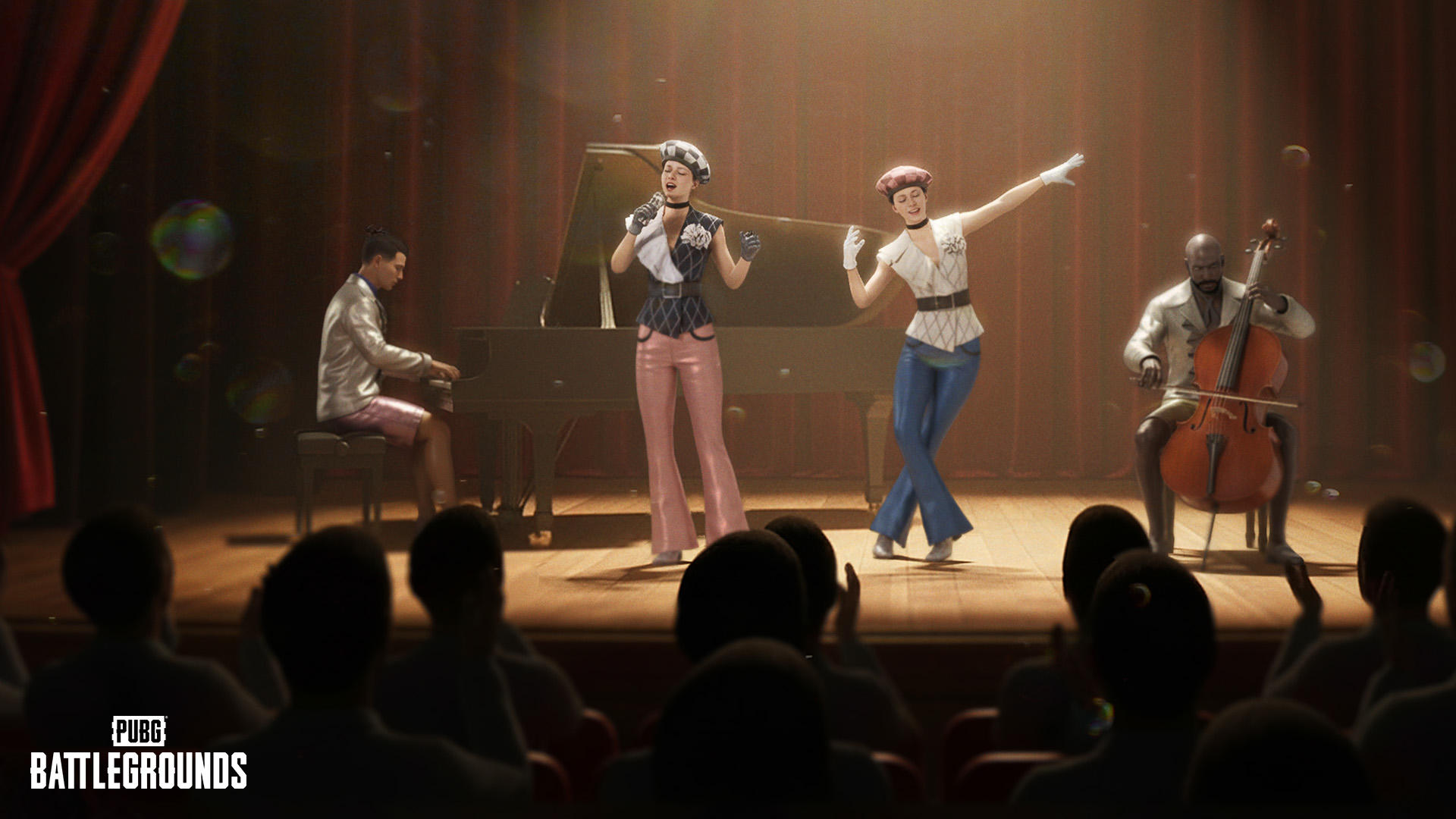
Survivor Pass: Off Range
True Elegance
More Items for Special Disassembly
Contenders and Contender-related items that are always available for purchase are now eligible for Special Disassembly.
You can obtain Artisan Tokens by using Special Disassembly on Contender items.
Special Disassembly can be accessed from the Disassemble menu under Workshop > Regular Crafting > Craft.
| Contender | Item | Tokens Granted upon Special Disassembly |
|---|---|---|
Hanna | Hanna Record File | 75 |
Bloody Vengeance Sword | 3 | |
Detention Decapitation Sword | 3 | |
Slice and Dice - Pan | 3 | |
Stealth Descent Parachute | 3 | |
UNDERCOVER ASSASSINS BACKPACK SET | 4 | |
APOCALYPSE SET | 10 | |
DEMON THRALL SET | 10 | |
DESERT ENFORCER SET | 10 | |
DEMON BIKER SET | 10 | |
SIDEKICK SECOND BASEMAN SET | 10 | |
UNDERCOVER ASSISTANT SET | 10 | |
PAINLESS AND STAINLESS HELMET SET | 4 | |
Dorian | Dorian Record File | 75 |
Haunted Finale Guitar | 3 | |
Hollow Resonance Guitar | 3 | |
Death Metal - Pan | 3 | |
Ember Chain Parachute | 3 | |
CHAINBOUND BACKPACK SET | 4 | |
CYBER SKULL SET | 10 | |
CYBER SURVIVOR SET | 10 | |
NEON WARLORD SET | 10 | |
SANDSTORM SENTINEL SET | 10 | |
FANATIC DISCIPLE SET | 10 | |
TWISTED DEVOTEE SET | 10 | |
DEATH TO METAL HELMET SET | 4 | |
Glasya | Glasya Record File | 75 |
Final Verdict Hammer (Gold) | 4 | |
Judgment Call - Pan | 4 | |
Judgment Call - S1897 | 4 | |
Demon Hunter for Hire Parachute | 4 | |
Silver Sigil | 2 | |
CASE CLOSED BACKPACK SET | 10 | |
APOCALYPSE SET | 10 | |
NAUTICAL NOMAD SET | 10 | |
WASTED FUTURE SET | 10 | |
WASTELAND WANDERER SET | 10 | |
TROUBLEMAKER HELMET SET | 10 |
Workshop UX/UI Improvements
While the Special Disassembly is available, a button to move from Special Crafting to Special Disassembly is always displayed.
Some buttons and item selection UI on the Regular Crafting and Special Crafting screens are improved.
Crates to be Deleted
As we shared in the October Store Update 2026, some crates and keys for those crates will be removed from the game in Update 44.2, scheduled for December.
If you possess crates subject to deletion and their keys at the time of the December update, the compensation listed below will be granted.
Crates and keys you own can still be used before the December update, so please use them if you wish to do so.
Regarding items scheduled for deletion, Steam Marketplace trading will be restricted as of the November 2026 update.
Restrictions on Steam Marketplace trading may take some time to apply due to technical reasons.
| Item | Compensation (to be granted in December) |
|---|---|
GAMESCOM INVITATIONAL CRATE | 6,200 BP |
RANDOM CRATE (including Contraband Coupon Crate) | 3,600 BP + Contraband Coupon Crate x 1 |
SURVIVOR CRATE | 3,600 BP |
BIKER CRATE | |
DESPERADO CRATE | |
MILITIA CRATE | |
WESTERN MILITARY CRATE | |
RAIDER CRATE | |
FALL 2018 CRATE | |
SEASON CRATE 2019 | |
VENETIAN CRATE | |
FEVER CRATE | |
TRIUMPH CRATE | |
EQUINOX CRATE | |
AVIATOR CRATE | |
EAST ERANGEL POLICE CRATE | |
WANDERER CRATE | |
RANDOM CRATE | |
DESPERADO KEY | 250 G-Coin |
WEAPON SKIN KEY | |
AVIATOR KEY | |
EAST ERANGEL POLICE KEY | |
EARLY BIRD KEY | |
WEAPON SKIN KEY (NON-MARKETABLE) | 3,600 BP |
AVIATOR KEY (NON-MARKETABLE) | |
EAST ERANGEL POLICE KEY (NON-MARKETABLE) | |
EARLY BIRD KEY (NON-MARKETABLE) |
Gameplay
Fixed an issue where players took unintended damage or died when jumping onto Emergency Cover airdrop deployed on world transportation vehicles.
Fixed an issue where the jump interaction was not displayed when the Blue Chip Recall Plane's flight path overlapped with an unplayable area.
Fixed an issue where players could equip items from loot crates and care packages even after moving beyond the intended interaction range while dragging the items.
(PC) Fixed an issue where certain devices and gameplay rules did not function as intended in the CARNIVAL RUSH creation in Playgrounds.
(Console) Fixed an issue where players could not switch perspectives after using a Super Skill in Xenopoint when both actions were assigned to the same button.
World
Fixed an issue where multiple explosion effects would play simultaneously when an explosion that occurred outside the player's field of view came into view on Sanhok.
UX/UI
Fixed an issue where a different vehicle skin was displayed in the vehicle skin radial menu instead of the currently equipped skin.
Fixed an issue where the Minimap grid and scale were displayed incorrectly when zooming in and out of the Minimap while boarding the plane from the Starting Island.
Fixed an issue where the weapon slot icon was temporarily displayed with incorrect proportions when picking up a primary weapon for the first time.
Fixed an issue where the character preview rotation did not work after equipping an emote via drag and drop in Customize.
Fixed an issue where an unintended item list was displayed when switching categories under Customize > Character > Wardrobe.
Fixed an issue where an unintended message was displayed on the map selection screen when switching between Normal Match and Ranked lobbies.
Fixed an issue where the nickname was displayed in an incorrect position under certain conditions when the Stellar Blade - Wasteland Lobby Skin was equipped.
Fixed an issue where an unintended pop-up sound was played when viewing Reputation Level information under Career > Overview.
Fixed an issue where certain text was displayed incorrectly in the Vehicle Info radial message.
Fixed an issue where Special Vehicle Skins were displayed in a different slot order than configured in the in-game vehicle skin radial menu.
(PC) Fixed an issue where previous party members' characters remained visible in the lobby and voice chat remained active after being kicked from the party.
(PC) Fixed an issue where certain text in kill events on the Replay Timeline was displayed incorrectly.
Items & Skins
※ Clipping issue: When two objects intersect, one object obscures part of the other.
Fixed a graphical issue with the stock of the Progressive Weapon Skin "Faded Ghost - AWM."
Fixed an issue where parts of the Bearly Awake Backpack (Level 2) appeared transparent.
Fixed a clipping issue when the female character wearing PLAYERUNKNOWN'S Trenchcoat with certain skirts.
Fixed an issue where the character's weapon-holding pose was displayed incorrectly when selecting the Go button after obtaining a weapon skin.
Fixed an issue where item images overlapped in the inventory when repeatedly swapping between the Vehicle Camo Netting and Pan with the Void - Pan skin equipped.
Fixed an issue where the Extended Mag attached to a weapon carried on another player's back would occasionally appear to float in midair, detached from the weapon.
(PC) Fixed an issue where the inner visual effect of the Void - Pan skin was not displayed in the inventory under certain conditions.